








morenews
Certification

[ Certification Process ]

WBENC Application and Certification Process
Click here for a printable version of this page (in PDF Format).

Criteria for Certification:
  • Applicant company must be at least fifty-one percent (51%) owned and controlled by one or more women who are U.S. citizens or lawful permanent residents,or in the case of any publicly-owned business, at least fifty-one percent (51%) of the equity of which is owned and controlled by one or more women who are U.S. citizens or lawful permanent residents; and
  • Whose management and daily operation is controlled by one or more of the women owners.
  • WBENC uses a two part process to ensure that the applicant company meets the WBENC Standards.   This will include a thorough review of the documentation presented and a site visit interview with the female owner/s.
  • Click here for a copy of the Standards and Procedures used to determine certification.

Application Instructions:

To expedite the efficient handling of your application, please read all of these instructions before you begin the online application.

  1. Gather the required documents. For documents that do not apply to your company, please provide a written explanation stating which documents do not apply and why.  Click here for Documentation Required.
  2. Review your legal and financial information to ensure that your documents support woman/women ownership and control.
  3. VERY IMPORTANT!  Have the owner send a test e-mail to the database wbenclink@cvmsolutions.com.  In response, she should receive an "out of office" e-mail.  If she does not, please have your IT representative ensure that e-mails from wbenclink@cvmsolutions.com can be received.
  4. Register and complete the online application.
    • Using a PC or a MAC with Internet Explorer, Safari or Mozilla Firefox and your pop-up blocker turned down or off, register and complete the online application.
    • Register using the owner's information.
      • The owner's complete e-mail address will be automatically assigned as the User ID for the application.
      • Create a password.
        • Save your user ID and password, it will be needed once certification is granted.
      • The application will open when registration is complete.
      • Answer ALL questions with a red asterisk to save the page.
      • If you do not know the answer to a specific question, enter an answer in the correct format that the question requires as a place holder. You can save and return to the application to update later.
      • When you complete the last page of the application, print your summary view, print your sworn affidavit, and REVIEW for accuracy.  DO NOT SUBMIT the application until you have reviewed it for accuracy. Once you submit, you will not be able to make changes. 
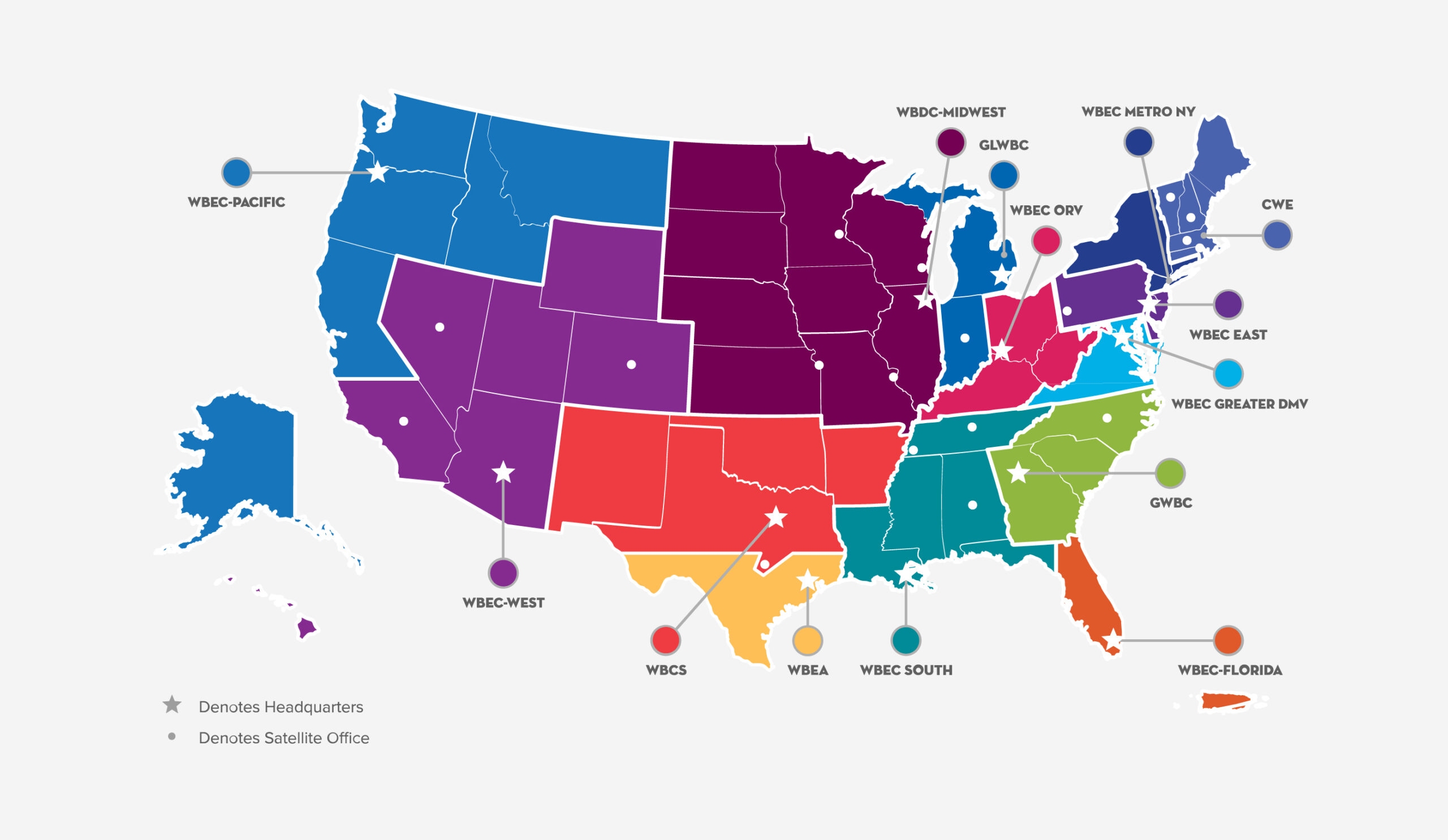
        • Within 24 hours of submitting the online application, the Company Owner and Company Contact will receive an automated e-mail notification with the name of your assigned Regional Partner Organization, address to mail documents, and fee. Click here to find the Regional Partner Organization that handles your region for the fee. Be sure to save the contact information.
  5. Mail your appliation processing fee, required documents, summary view, sworn affidavit that has been signed by the female owner and notarized by a 3rd party,  and WBENCLink User Agreement 3.7,  by certified mail, UPS or FedEx to your assigned Regional Partner Organization. 

      After your application is submitted: 
  1. Assigned Regional Partner Organization Program Manager receives the application packet.
    • Owner and Company Contact will receive automated e-mail notification that the application has been received.
  2. The application packet is reviewed for completeness within 15 business days of receipt.
    • Owner and Company Contact will receive automated e-mail notification that the file is complete or an outstanding document email indicating which documents are missing.
    • If file is complete, it will take up to 90 days from the date of the e-mail to process.
  3. Application is reviewed by the Certification Review Committee.
    • Owner and Company Contact will receive automated e-mail notification that the application has been reviewed and someone will contact the Owner regarding the required site visit.
  4. Pre-arranged Site Visit at principal place of business with majority female owner/s.
  5. Final Determination
    • If certification is granted, the Owner and Company Contact will receive an automated e-mail notification telling them that certification has been granted with instructions to download the WBENC WBE certificate. NOTE: The User ID and password created during registration will be needed to log back into your Company's application on WBENCLink.
    • If certification is denied, the Owner will receive a certified letter stating the reason(s) for denial.
 
Please note that when you click the link below to begin the online application, that you are leaving www.wbenc.org and going to our password secured, proprietary database, www.wbenclink.org.  Should you need to save your application and wish to return to it, make sure you return to www.wbenclink.org and use the gray box at the top right to log in.
 
As you register, the system will assign your complete e-mail address as your User ID and you will be asked to create your password.  Save your user ID and password,  as both will be needed once certification is granted.  Reminder....the application is the last step in the process!


Go to www.wbenclink.org to begin the online application

twitter     facebook    in    youtube           donatenow
Video Sponsored by Accenture
Tenaris Flash Media
More Videos
View the President's Message from Linda Denny,
WBENC President & CEO
Poll Sponsored by RAYTHEON

How has WBENC certification helped your company to be considered for business opportunities?
Click here to take a poll.

Blog Sponsored by Your Company Here

WBENC Blog

The WBENC Blog is coming soon. Look for announcements about WBENC's new blog in the President's Report, WBENC's monthly email newsletter.  Subscribe to the President's Report, at the top of this web page.

Login